My Keyboard Endgame: 34 Keys, 3 Layers, and a Macropad
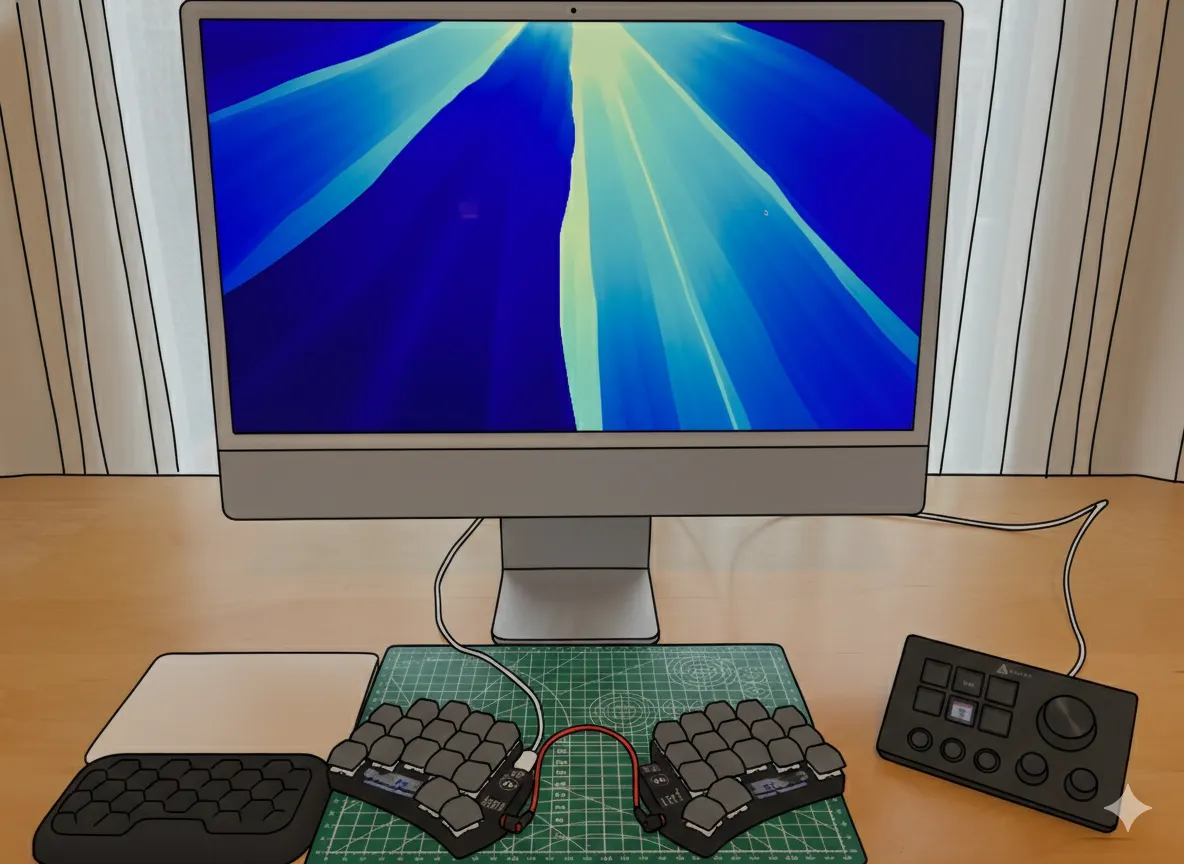

I spend a lot of time analyzing other people’s “endgame” setups, and I honestly don’t understand why so many users accept such steep learning curves.
The secret to a sustainable workflow is simplicity. If your layout is so complex that a month away from your desk “drives you nuts” when you return, it’s not an endgame—it’s a chore. Here is how I stripped my setup down to the essentials without losing productivity.
The Hardware Philosophy
Section titled “The Hardware Philosophy”-
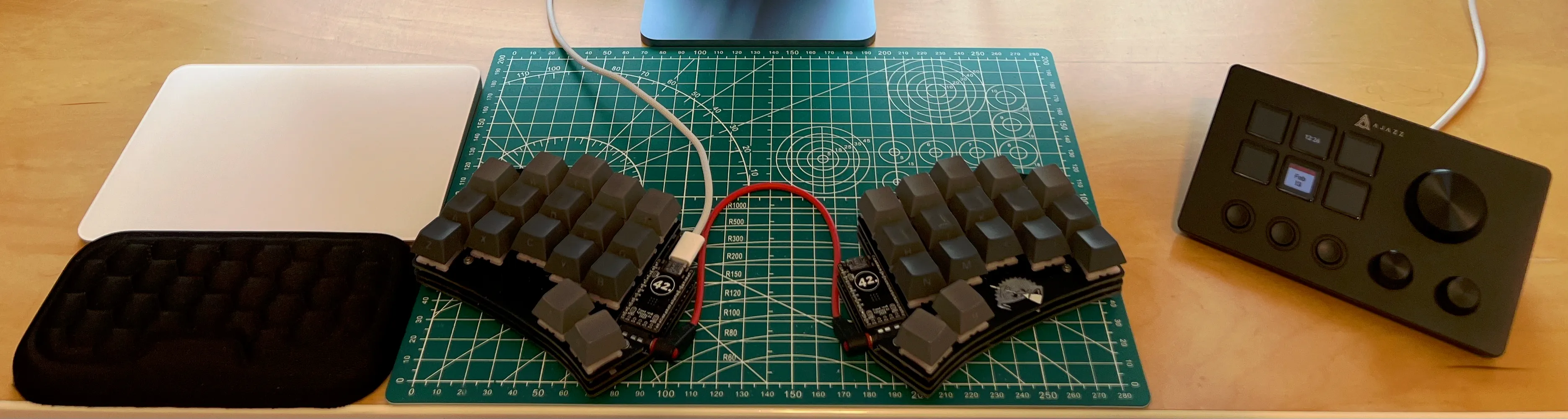
34 Keys is Enough: I’m a Ferris Sweep MX devotee. You can buy the the Silakka54 from Aliexpress if you are on a budget.
-
2 Thumb Keys: You don’t need a cluster; two well-placed keys are sufficient.
-
Externalize the Complexity: Don’t cram multimedia into layers. Use a dedicated macropad like the Elgato Stream Deck (or the budget-friendly Ajazz AKP03E). This gives you physical dials and buttons for the stuff that doesn’t belong on a typing layer.
-
The Trackpad: The Apple Magic Trackpad remains king. I use Mouseless to reduce dependency, but I refuse to add clunky mouse layers to my keyboard.
The Three-Layer Rule
Section titled “The Three-Layer Rule”Most people over-engineer their firmware. I’ve cut out the “magic” (No Macros, No Tap Dance, No Key Overrides) in favor of logic.
-
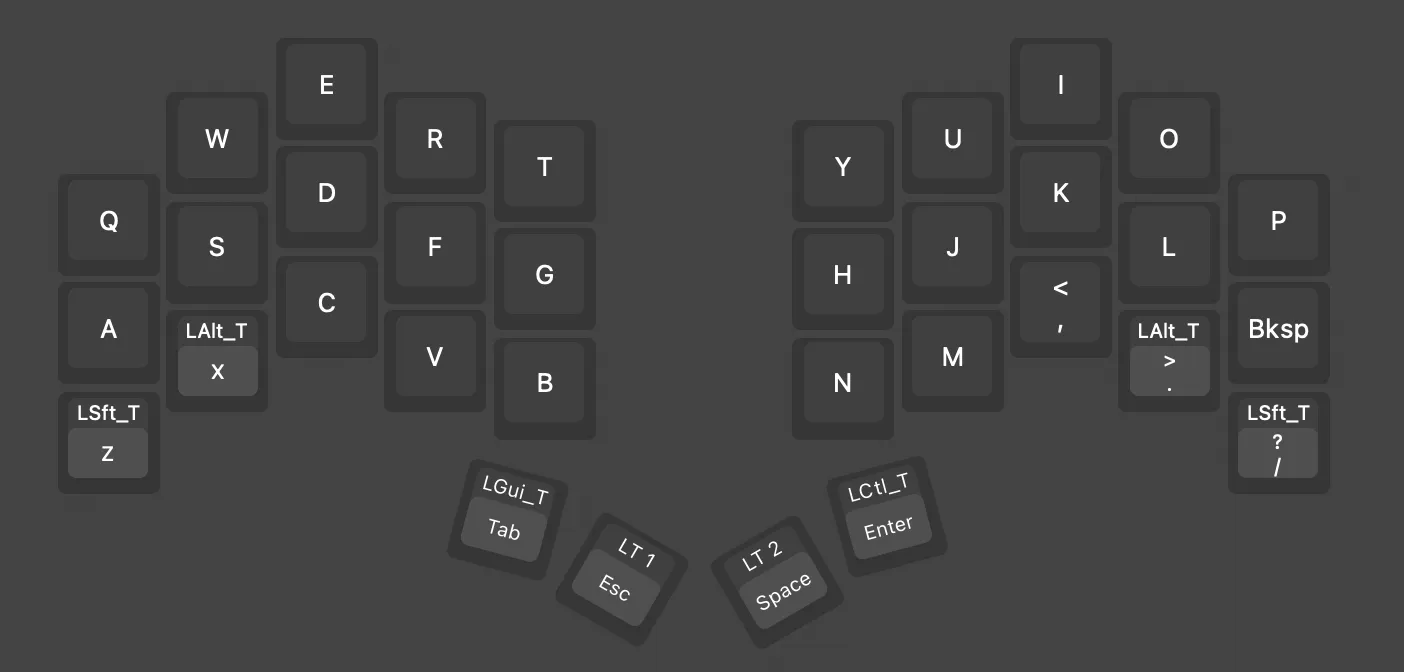
Layer 0: Alpha. Standard typing.
-
Layer 1: Numbers & Navigation. I use the
zxcvrow for numbers. This leaves 15 keys free for my Tiling Window Manager of choice, AeroSpace .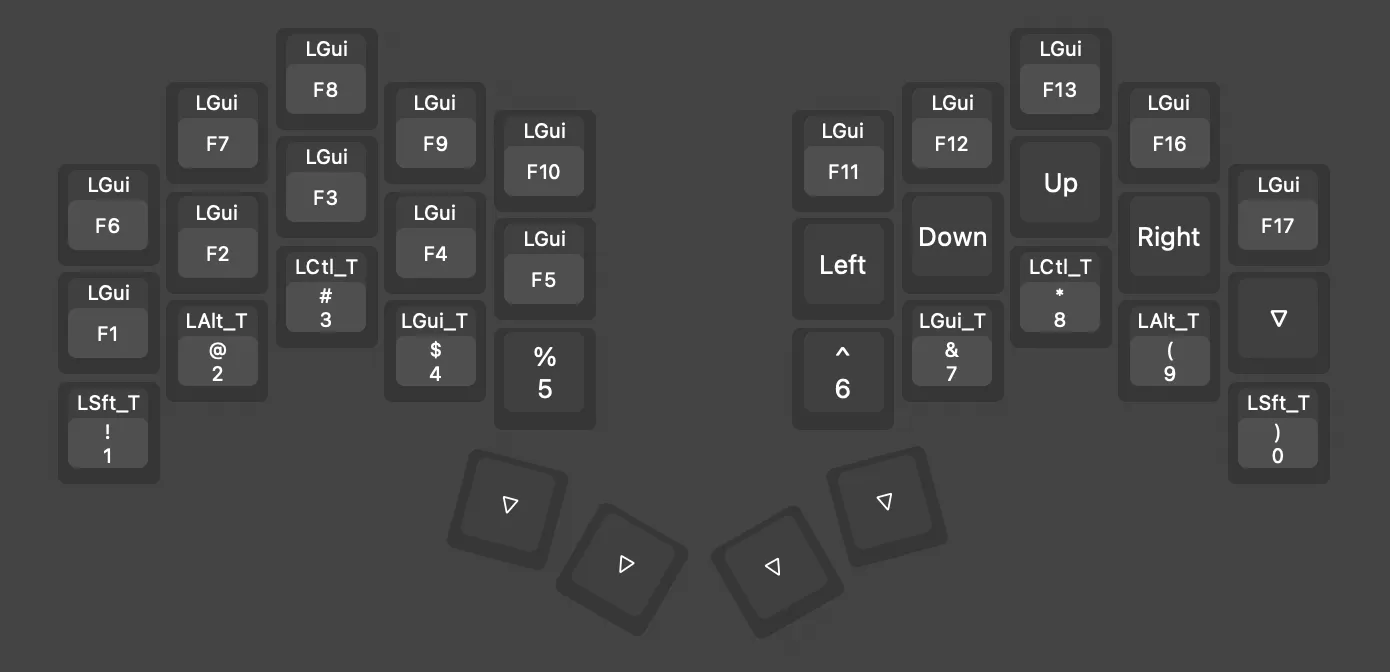
-
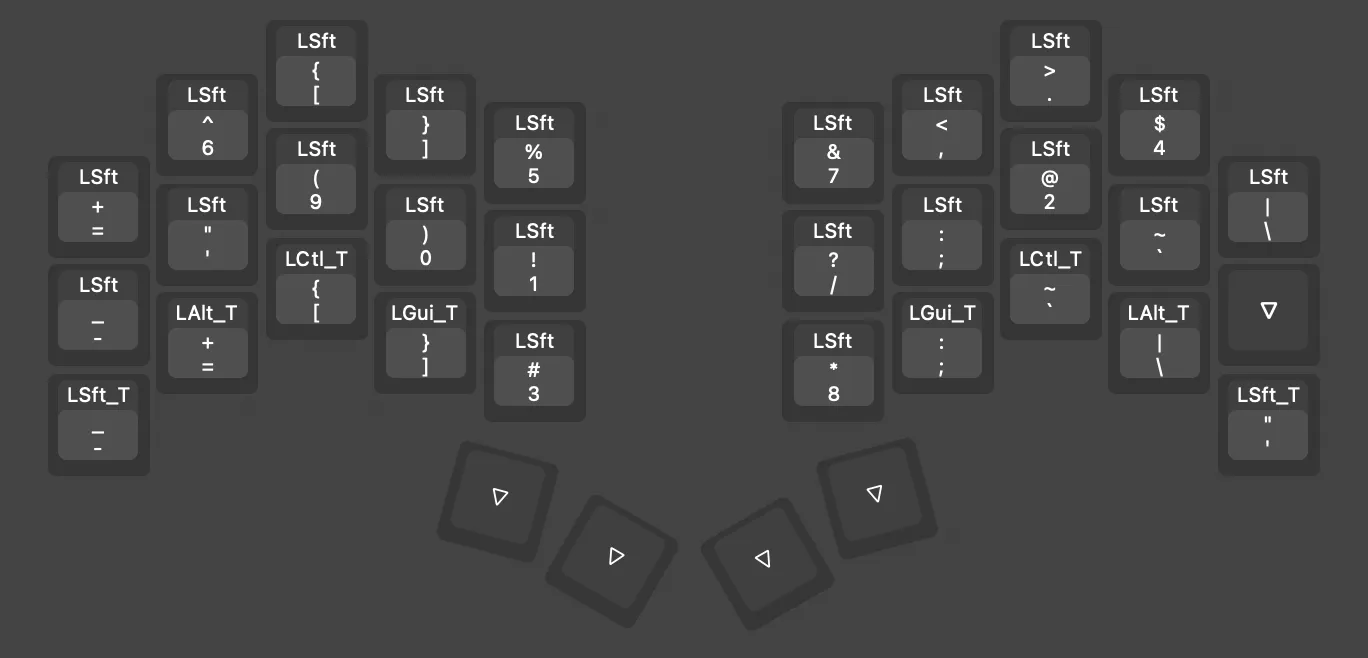
Layer 2: Symbols. I don’t understand splitting symbols across layers. There are exactly 29 essential symbols—they fit perfectly on one layer. Keep them together so your brain doesn’t have to hunt.
Taming the “Necessary Evils”
Section titled “Taming the “Necessary Evils””-
Home Row Mods: These can be a headache. I’ve contained the “evil” by only using two keys for mods (
Z/Xandcomma/dot). -
Combos: Only one—
F+JforCAPS WORD. -
Input Methods: Stick to Tap-Hold and Layer Toggle only. Anything else increases the likelihood of misfires.
The Terminal-Centric Stack
Section titled “The Terminal-Centric Stack”If you live in the terminal, your hardware is only as good as your software’s ability to interpret it. My stack focuses on modern protocols and efficiency:
-
Protocol: Use Kitty Keyboard Protocol (kkp) for better key handling.
-
Terminal: Ghostty (fast, native, modern).
-
Multiplexer: Zellij over tmux.
-
Editor: Doomemacs (Vi bindings forever).
My skhd Configuration
Section titled “My skhd Configuration”Since I avoid complex firmware overrides, I handle my application-specific shortcuts via skhd . This keeps my keyboard “dumb” and my configuration portable.
# Use xxd -psd to find the hex code and remove 0a
# Navigation: Prev/Next tab in Chromecmd - i : skhd -k "shift + cmd - 0x21"cmd - o : skhd -k "shift + cmd - 0x1E"
# Organization: Move tab left/right in Chromeshift + cmd - i : skhd -k "shift + ctrl - 0x74"shift + cmd - o : skhd -k "shift + ctrl - 0x79"
# History: Back and Forwardcmd - 0x2B : skhd -k "cmd - 0x21"cmd - 0x2F : skhd -k "cmd - 0x1E"
# Terminal Fix: Emacs in terminal doesn't support M-[# Mapping M-5 as a workaroundalt - 0x21 : skhd -k "alt - 5"
Final Thoughts
Section titled “Final Thoughts”Keep it simple. If you can’t explain your layout to yourself in 30 seconds, it’s too complicated. Externalize your macros to a macropad, keep your symbols on one layer, and let your software do the heavy lifting.